Buy MASON Void WARDOGS — Aimbot, ESP and radar
Buy MASON VOID for WARDOGS
System requirements
Game version: Steam.
Game mode: Windowed mode.
Operating system: Windows 10: 2004 (19041), 20H2 (19042), 21H1 (19043), 21H2 (19044), 22H2 (19045); Windows 11: 21H2 (22000), 22H2 (22621), 23H2 (22631).
Anti-cheat: In-game.
Processors: Intel and AMD.
Invisible in videos and screenshots: Yes.
USB drive required: No.
Software features
Aimbot basics
- Enable Aimbot (Enabled)
- Aim activation key (Aim Key)
- Aim smoothing (Smooth)
- Aiming field-of-view radius (Field of View)
- Aiming deadzone (Deadzone)
- Team check to ignore teammates (Team Check)
- Lock the selected target (Lock Target)
- Kernel mouse-movement emulation (Kernel Mouse)
- P Bullet mode (P Bullet)
Targeting and bullet settings
- Aim at visible targets only (Visible Only)
- Dim invisible targets (Dim Invisible)
- Adaptive aim smoothing (Adaptive Smooth)
- Select the body part to aim at (Aim Bone)
- Target selection priority (Priority)
- Aim redirection (Redirection)
- Account for weapon speed (Weapon Speed)
- Bullet speed (Bullet Speed)
- Bullet gravity (Bullet Gravity)
Player boxes
- Player ESP boxes (Box ESP)
- Box display mode (Box Mode)
- Bracket-style boxes (Brackets)
- Filled boxes (Filled Box)
- Accentuated box corners (Corner Accent)
- Box line thickness (Box Thickness)
Health and skeletons
- Health bar (Health Bar)
- Health bar position (Health Pos)
- Player skeletons (Skeleton)
- Skeleton display mode (Skeleton Mode)
Visual colours
- Enemy colour (Enemy)
- Teammate colour (Team)
- Bot colour (Bot)
- Enemy vehicle colour (Enemy Vehicle)
- Team vehicle colour (Team Vehicle)
- Loot colour (Loot)
- FOV circle colour (FOV Circle)
- Extra crosshair colour (Crosshair)
- Aim line colour (Aim Line)
Vehicles and occupants
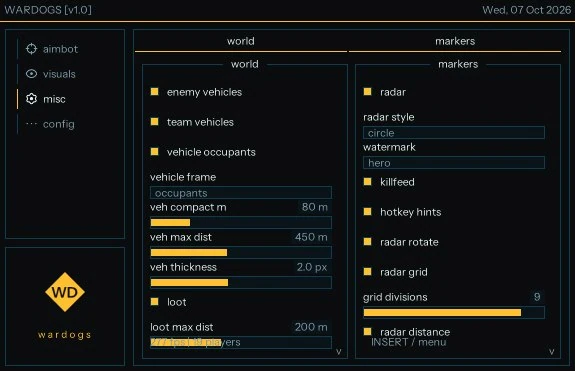
- Display enemy vehicles (Enemy Vehicles)
- Display team vehicles (Team Vehicles)
- Display vehicle occupants (Vehicle Occupants)
- Vehicle information display mode (Vehicle Frame)
- Display occupants (Occupants)
- Compact vehicle display distance (Veh Compact M)
- Maximum vehicle display distance (Veh Max Dist)
- Vehicle ESP element thickness (Veh Thickness)
Loot
- Display loot (Loot)
- Maximum loot display distance (Loot Max Dist)
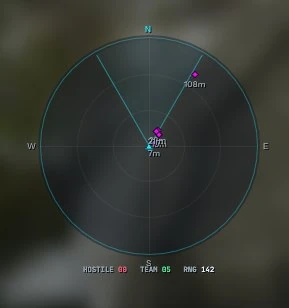
Radar
- Enable radar (Radar)
- Radar style (Radar Style)
- Circular radar (Circle)
- Rotate radar with player direction (Radar Rotate)
- Radar grid (Radar Grid)
- Number of grid divisions (Grid Divisions)
- Display distance on radar (Radar Distance)
Markers and interface
- Watermark
- Hero watermark style (Hero)
- Killfeed
- Hotkey hints (Hotkey Hints)
Profiles
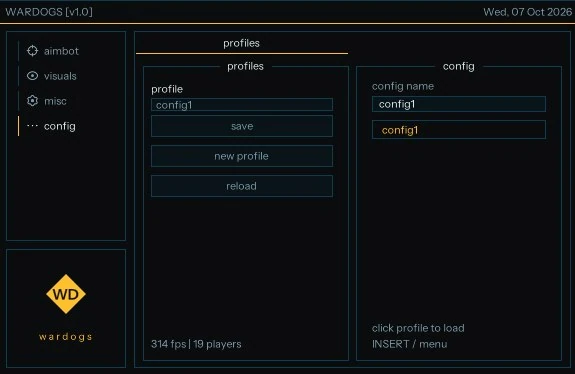
- Profile name (Profile)
- Save profile (Save)
- Create a new profile (New Profile)
- Reload the profile list (Reload)
Configurations
- Configuration name (Config Name)
- Click a profile to load it (Click Profile to Load)
- The developer may change the program's features at any time.
Screenshots
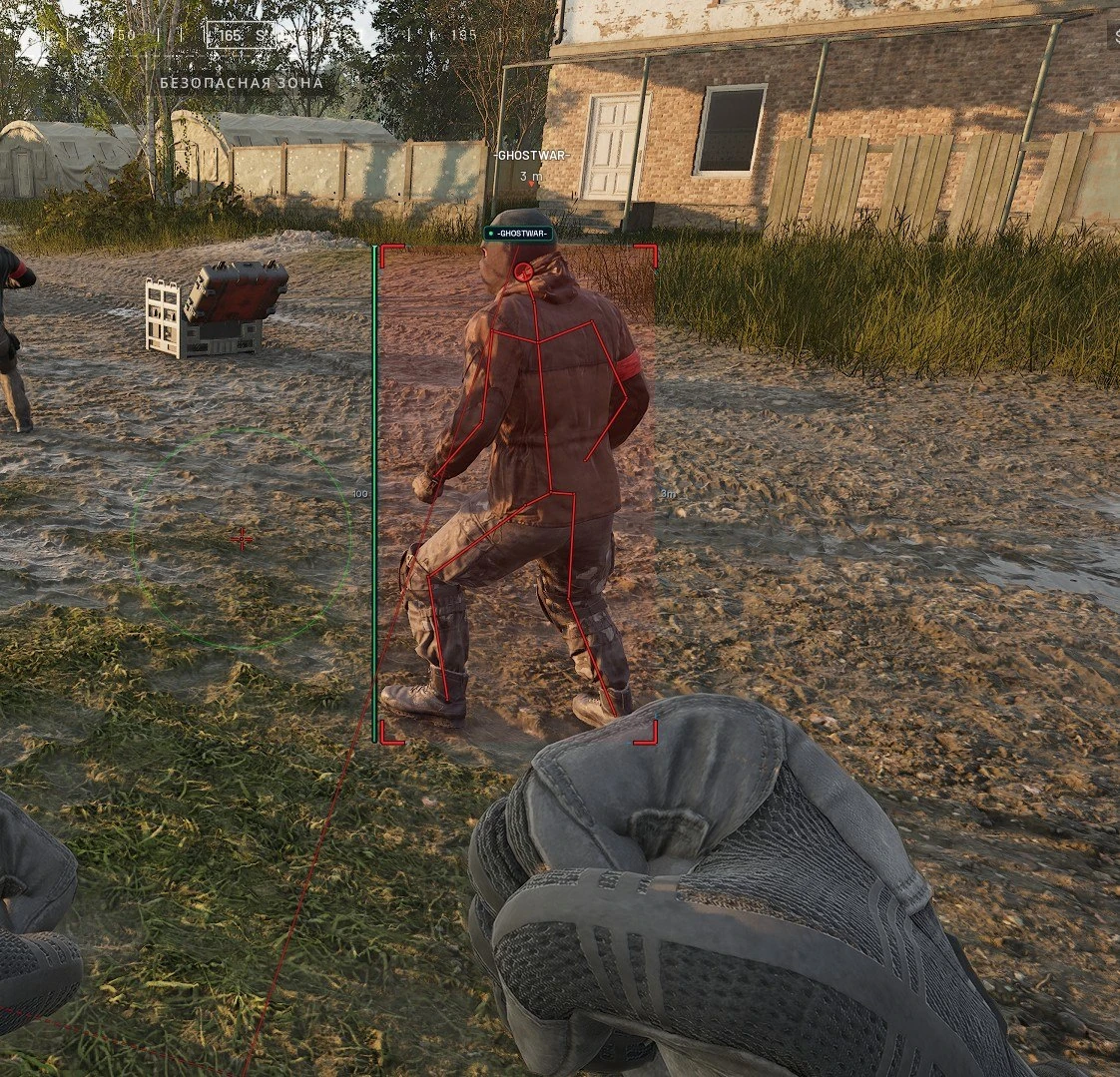
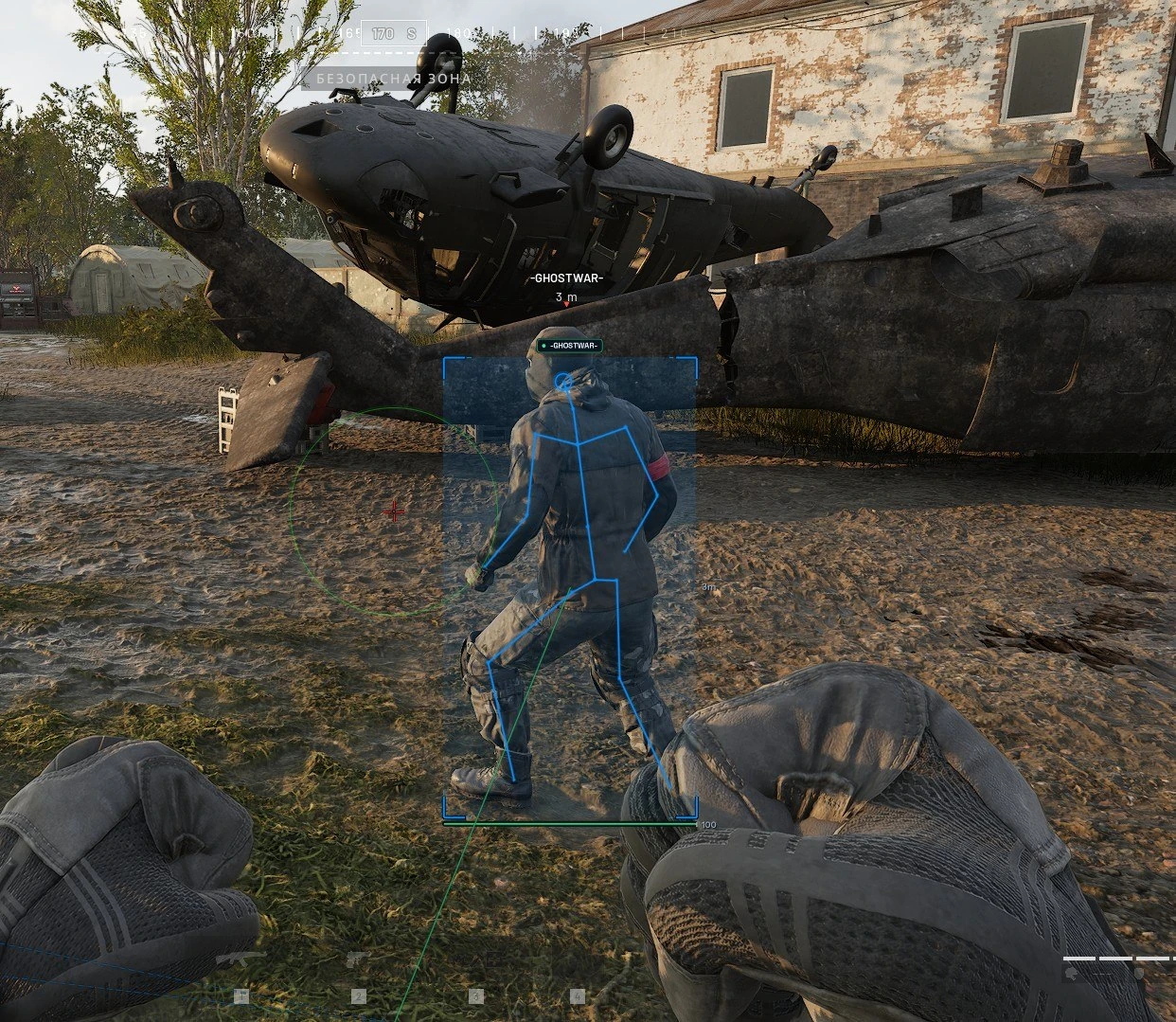
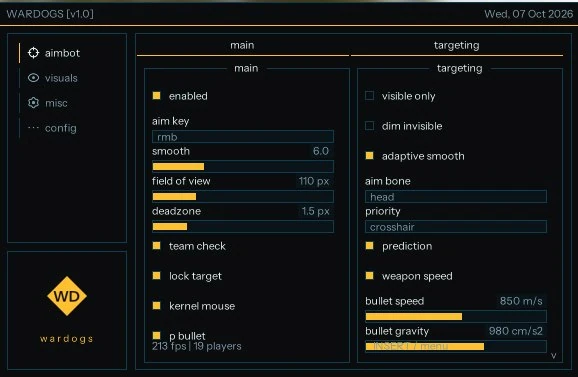
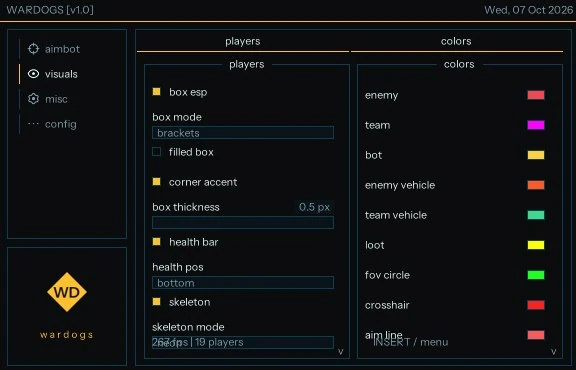

MASON Void for WARDOGS offers a configurable Aimbot with target selection, smoothing, team checks and bullet settings. Visual features cover player boxes, health and skeletons, vehicles, occupants and loot.
ESP colours, radar, killfeed and hotkey hints have their own settings. Profiles let you save and load configurations. Supports Steam in windowed mode on the listed Windows builds.